
Self-Service Ticket Management
Manage Your Tickets
Self-Service Ticket Management allows ticket holders to:
Rename any tickets
Forward tickets to your guests
Email your tickets to yourself
View, email, and print your personalized schedule
Weekend Bundle Ticket Holders can also:
Register for concurrent author sessions
Can’t Find Your Tickets?
Click here to resend your order confirmation.
Be sure to use the email address used when you purchased your tickets.
For assistance, or to have SFILF staff manage any of the ticketing features, call (505) 575-6777 or email tickets@sfinternationalitfest.org.
Step 1: Locate your Order Confirmation
This will be emailed to you from “2026 Santa Fe International Literary Festival <noreply@redziaevents.com>”
Subject Line: Order Confirmation: 2026 Santa Fe International Literary Festival
If you cannot find that email, you can click here to resend your order confirmation email.
Step 2: Click “Manage Schedule”
Upon receipt of your Order Confirmation email, scroll down to “Manage Schedule” or “View & Manage Order.”
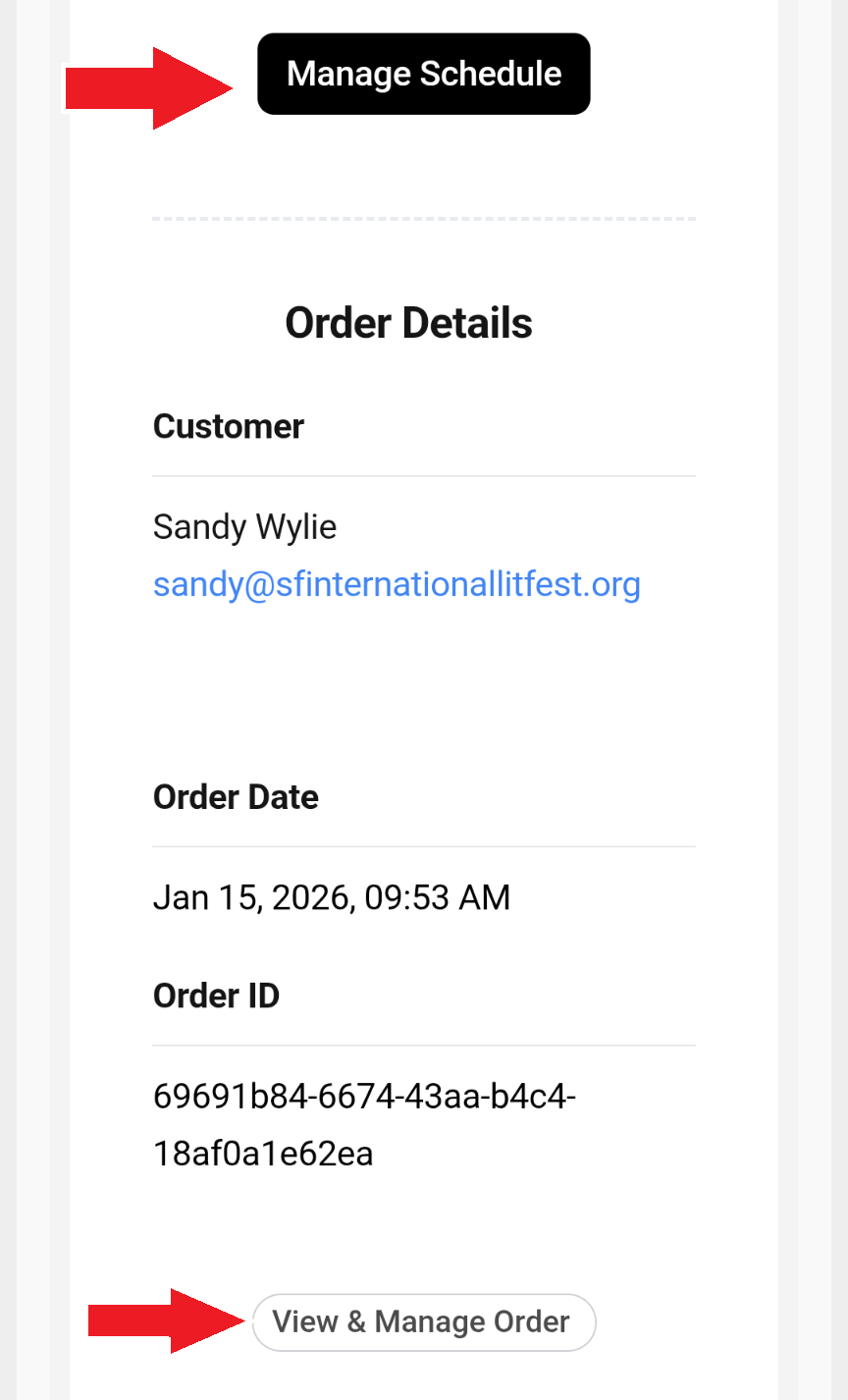
Step 3: Click your preferred actions
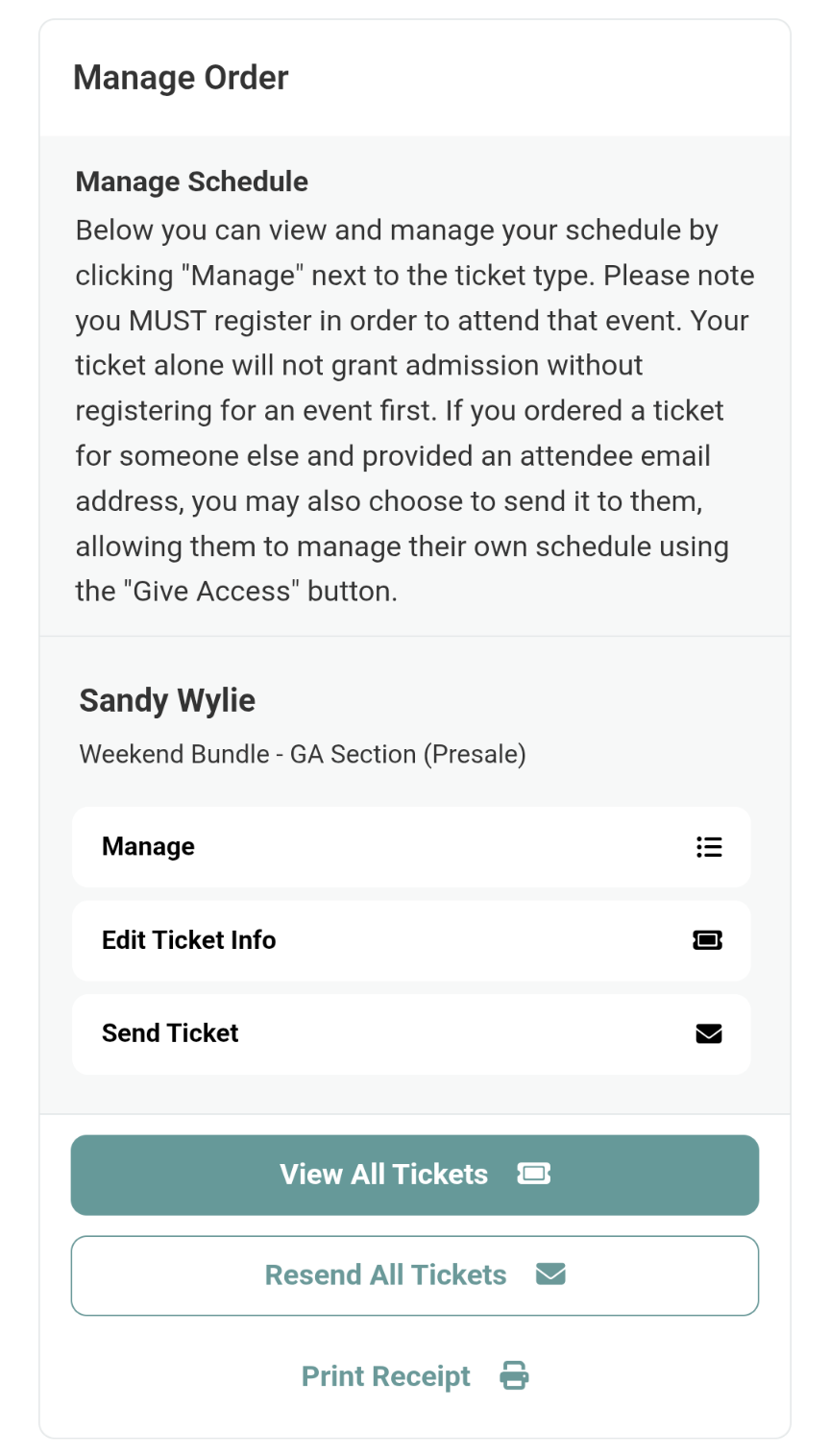
View All Tickets will open your pdf tickets (on a desktop computer) or mobile tickets (on a mobile device). Print, save, or download from there.
Edit Ticket Info allows you to change the name and email associated with an individual ticket.
You can then click Send Ticket, to send an individual ticket, or Resend All Tickets at once.
Manage your schedule, concurrent talk selections, and weekend bundles with the Manage button.
Weekend Bundles
All Weekend Bundles must register concurrent session choices. Seats cannot be guaranteed without registration.
Once you have received your Order Confirmation, you will register for your preferred author for concurrent sessions (three on Saturday and three on Sunday), as well as a ticket holder name for each bundle. Badges will be provided for Choice and Premium Weekend Bundle holders, so please provide names as they should appear on the badge.
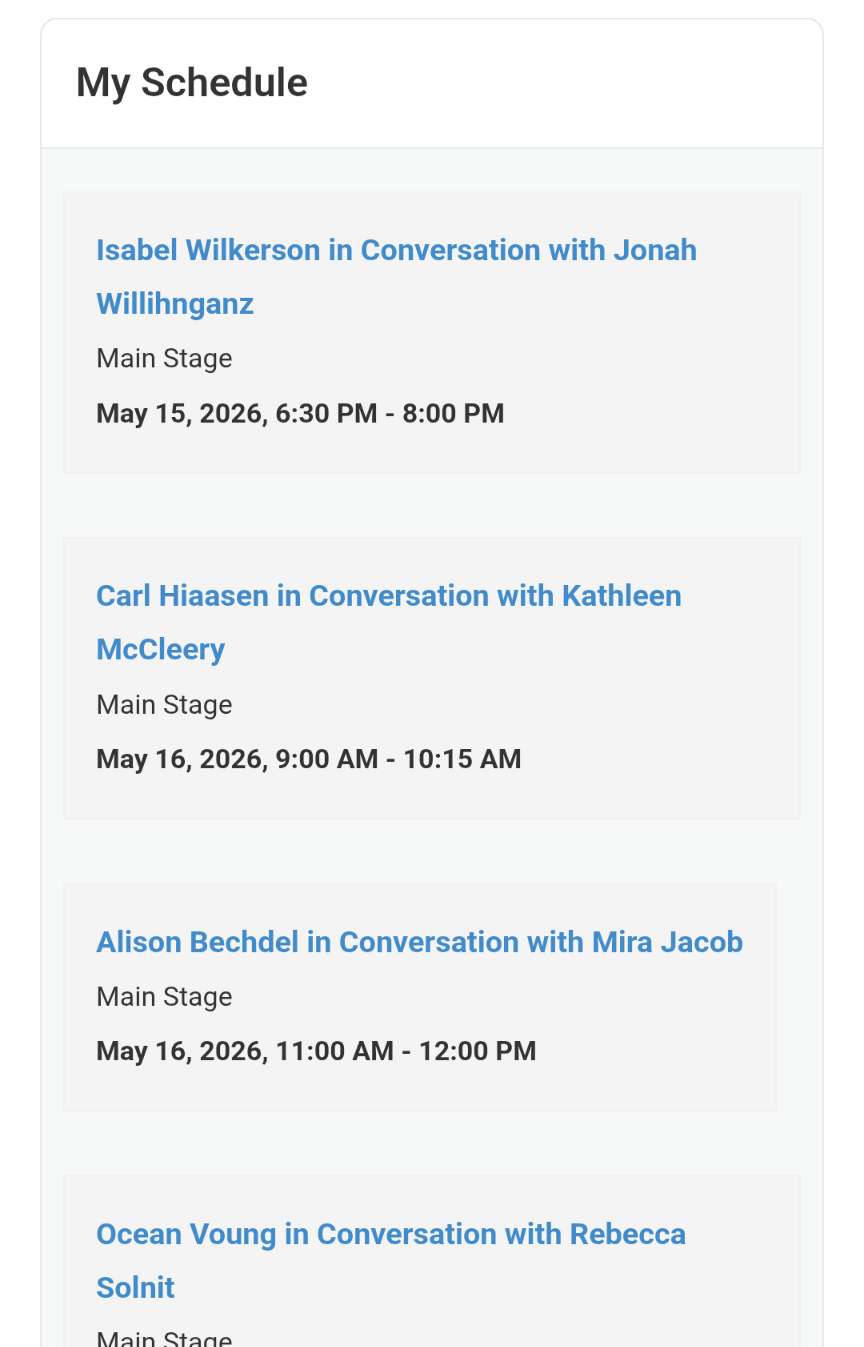
Main Stage authors are already registered to your Bundle Ticket. You can see those in the My Schedule section. Those authors cannot be canceled or removed from your ticket.
STEP 1:
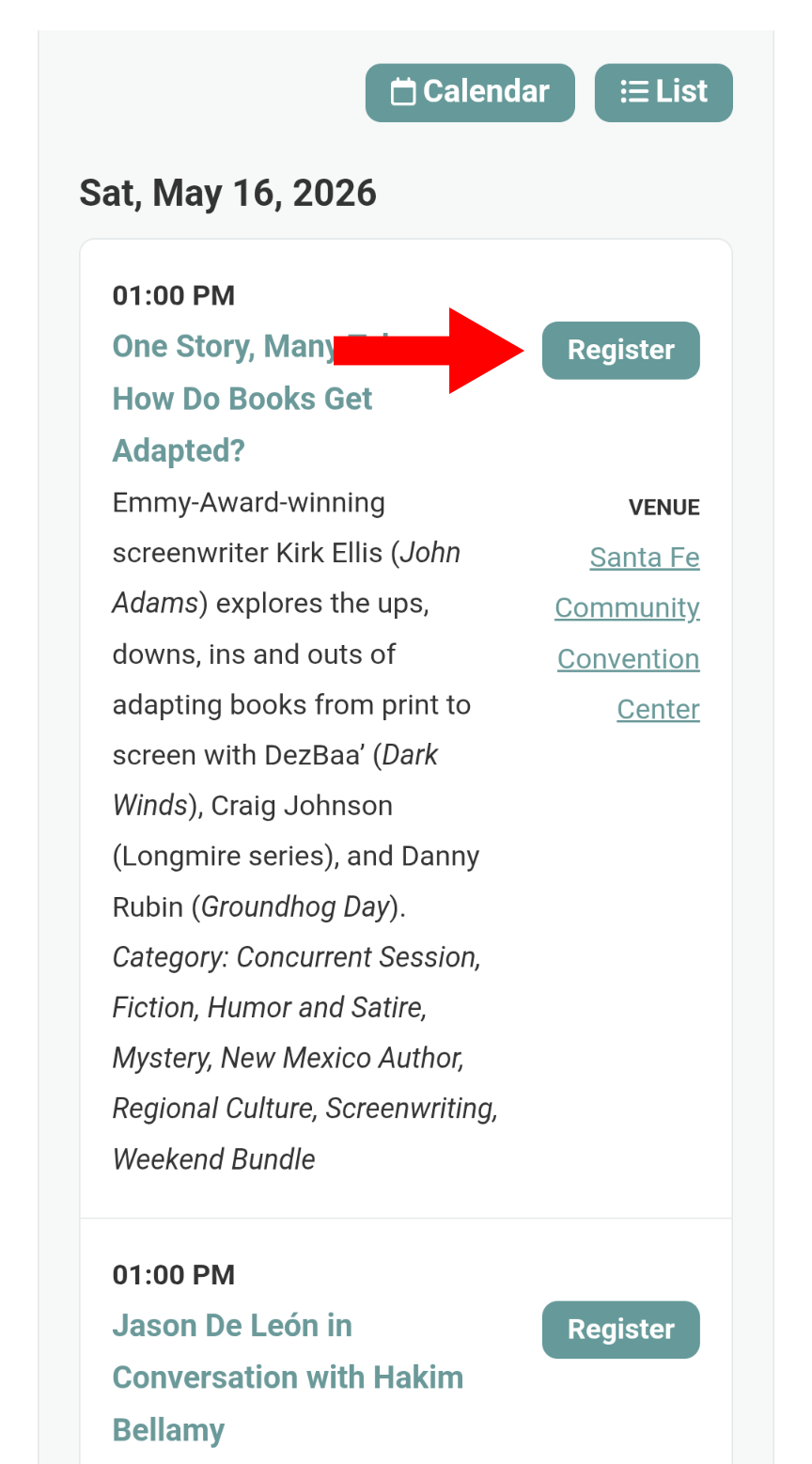
Scroll to the Event Schedule to register for your concurrent sessions.
Click Register for your preferred author. Click Cancel Registration to change selection. You will be allowed to register for six authors.
Important: The system will not prevent you from registering for two authors in the same time slot. Please select only ONE AUTHOR PER TIME SLOT.
step 2:
When you have completed registration, scroll back up to see your full schedule. You can also email and print your schedule.
A few notes:
You can make changes to your author selections until a session is sold out. At that time, you will be unable to register for that author. You may gain entry to their talk on standby at the time of the event.
If you do not register for all concurrent sessions before April 15, we will automatically assign you to the Main Stage author presentation.
In early May, Choice and Premium Weekend Bundle holders will receive information about badge pickup and other ticket-specific details.
For assistance, or to have SFILF staff manage any of the ticketing features, call (505) 575-6777 or email tickets@sfinternationallitfest.org.